The game
Syndicates
Found or join an alliance of up to 32 families: ranks, chat, reinforcements, the Bastions, the Academy and diplomacy.
Syndicates
Families that stick together
A syndicate lets you cooperate with other families in the city. It is optional, but a city is easier to hold with more people.

How to create one
First you build the Syndicate hall (Villa level 4), without which you can neither create, join nor apply to a syndicate. Then you create it from the Syndicate tab, with a name of 3–30 characters and a tag of exactly 3 letters or digits, shown as [TAG], for 1,000 gold. It can hold up to 32 families. The Don chooses who can join: anyone with enough power joins directly, or a join request is required. The Don also sets a minimum power. A player who is invited by the Don skips both rules. A player can apply to several syndicates at once and cancel a request at any time; the Don or a Consigliere accepts or declines it, and the first syndicate to accept cancels the other requests. The home page of a syndicate shows its member count, total power, its place in the syndicate ranking and the last 15 events (joins, departures, removals and rank changes). The name and tag are permanent: once the syndicate is created they can never be changed.
Finding a syndicate
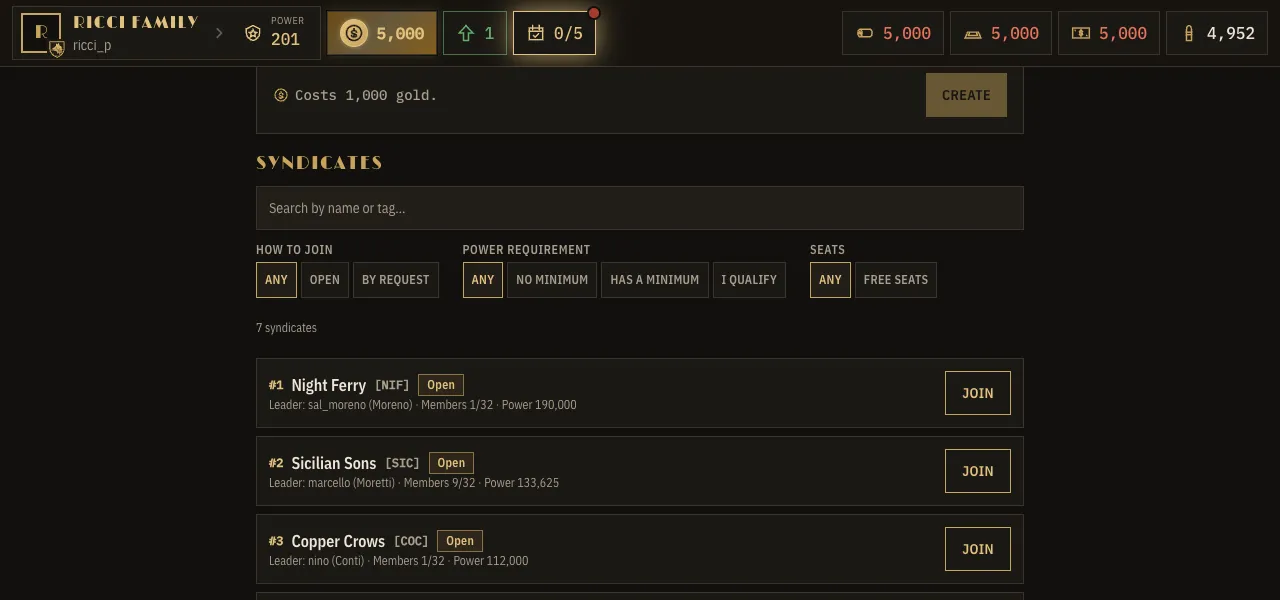
Without a syndicate, the Syndicate tab lists the syndicates of the city by rank, 10 per page, with their tag, members, total power and whether they are open or by request. A search box looks for a name or a tag, and three filter groups narrow the list down: How to join (any, open or by request), Power requirement (any, no minimum, has a minimum or I qualify) and Seats (any or free seats). The rank on each card is the real rank in the city, whatever the filters, and the search, filters and page are remembered while you look at another tab of the game.
The Syndicate hall
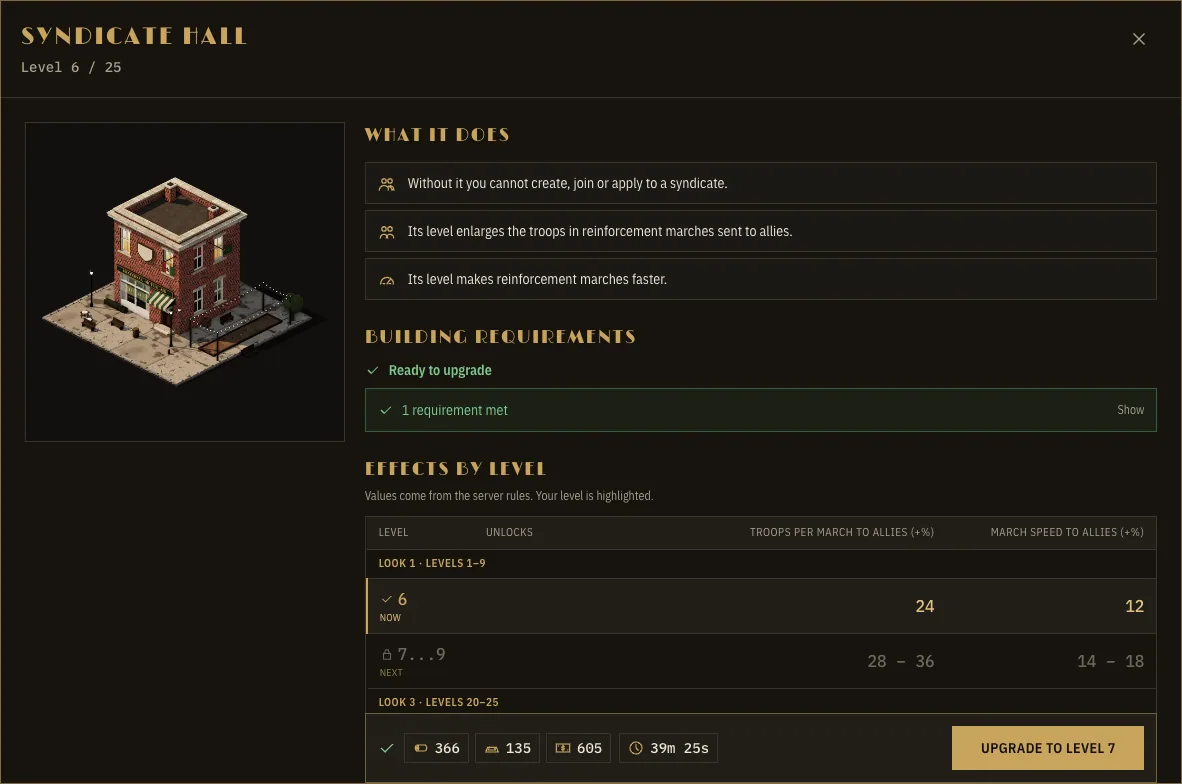
Without it you can neither create, join nor apply to a syndicate. Each level enlarges the reinforcements you send by 4% troops and speeds them up by 2%.
Ranks
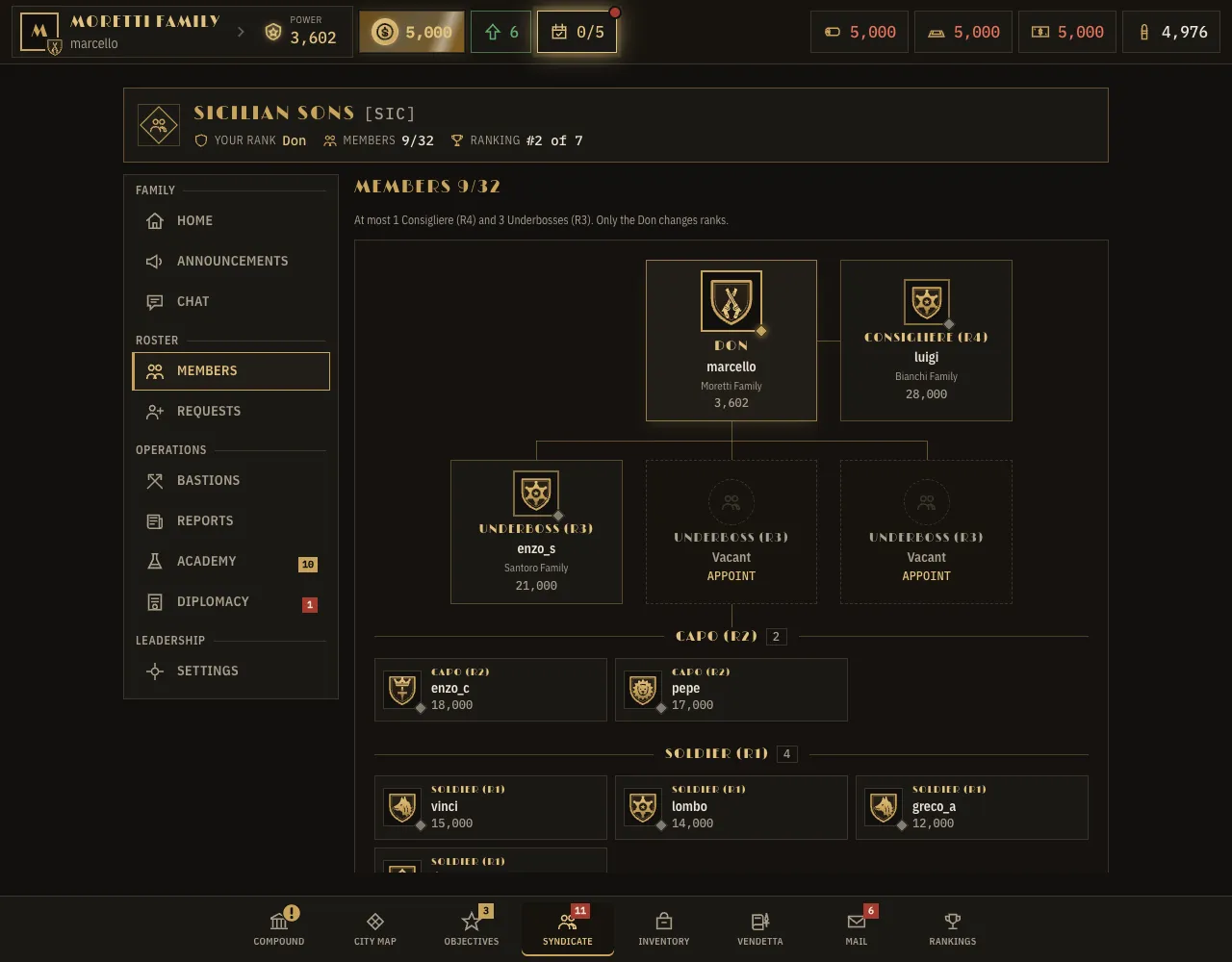
Don (the leader), Consigliere (at most one), Underboss (at most three), Capo and Soldier. Only the Don changes ranks and the join settings; the Don and the Consigliere handle join requests. If the leader leaves, leadership passes to another member, and the syndicate disbands when the last one leaves. The Members tab draws the family as a tree: the Don at the top with the Consigliere beside, the Underbosses below and the Capos and Soldiers under them, each with their crest and rank title, and an empty seat shown as vacant while a limited rank is not full.
Chat and announcements
Every syndicate has a shared chat (messages up to 500 characters, with an unread counter) and an announcement board only the Don and the Consiglieri can write on. You can ask for help straight from the attack alarm, with your compound’s coordinates. The Don can also wire the syndicate to a Discord channel with a webhook, choosing which news goes there: raids and Bastion battles, calls for help, diplomacy, the Academy, and members and announcements.
Reports
The Reports tab shows what the members are doing: who attacked whom and with what result, who took which racket and who was attacked, and which Academy research has finished. Every member can see it, and the syndicate keeps the last 100 events.
Reinforcements
Members of a syndicate cannot attack each other. Instead, they can send troops by convoy to defend one another’s compounds. The troops stay there until recalled by whoever sent them or by the host.
Bastions
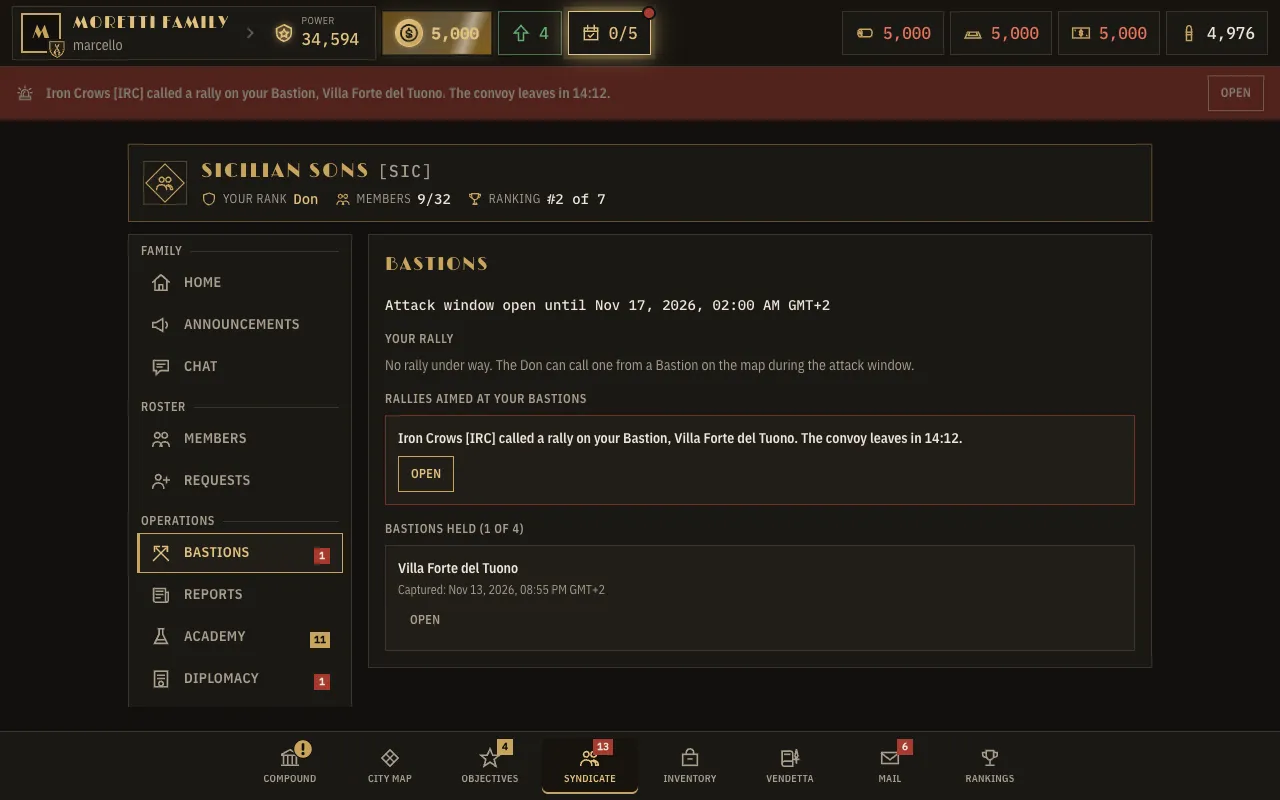
The Bastions tab of the Syndicate window follows the territory war: the Friday attack window with its countdown, the rally of your own syndicate, the rallies aimed at your Bastions (with an Open button that takes you to the Bastion on the map) and the Bastions you hold, out of the 4 a syndicate can have. A red banner warns every defending member the moment a rally is called against them.
The Academy
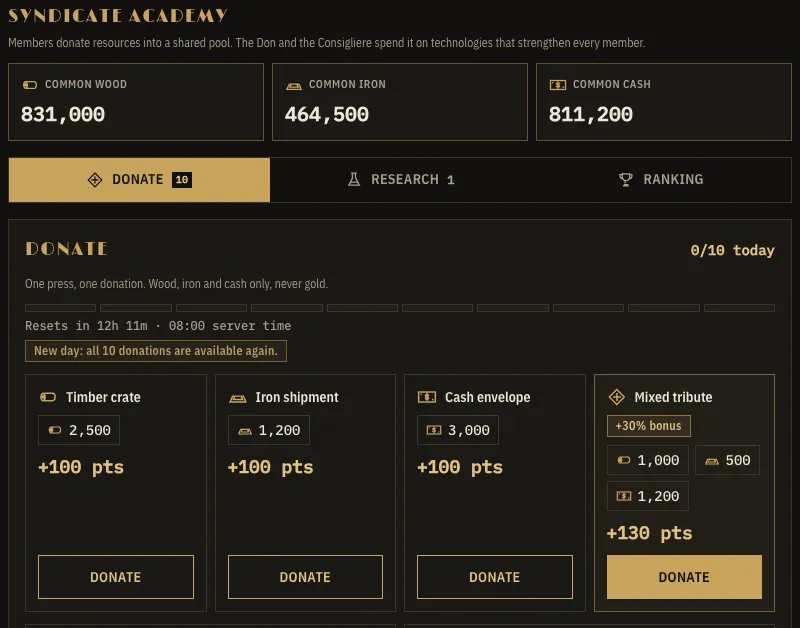
The Academy tab turns the whole syndicate into one research team. Every member can donate up to 10 packages a day (wood, iron, cash or a mixed package worth 30% more points; never gold) into a common fund, and the counter resets at 08:00. Nobody can send resources to another player, so there is nothing to exploit with spare accounts. The Don and the Consigliere spend the fund on five technologies of five levels each, one research at a time, with durations from 8 hours to 4 days and no cancelling: Supply Lines (+2% convoy load per level), Covering Tracks (+0.5 heat points of cooling per hour per level), Common Column (+3% speed for reinforcement convoys), Brotherly Fortifications (+2% defence for troops hosted at a mate’s compound) and Street Prosperity (+1% production). The bonuses apply to every member at once and end the moment a family leaves. The Donation Ledger ranks members weekly (reset on Monday at 00:00, the winner becomes the Weekly Patron with a gold badge in the chat) and all-time, which the Don can use to judge who deserves the Capo and Underboss ranks. Every Bastion the syndicate holds also pays wood, iron and cash into the common fund every 4 hours, and those payments give nobody donation points.
Diplomacy
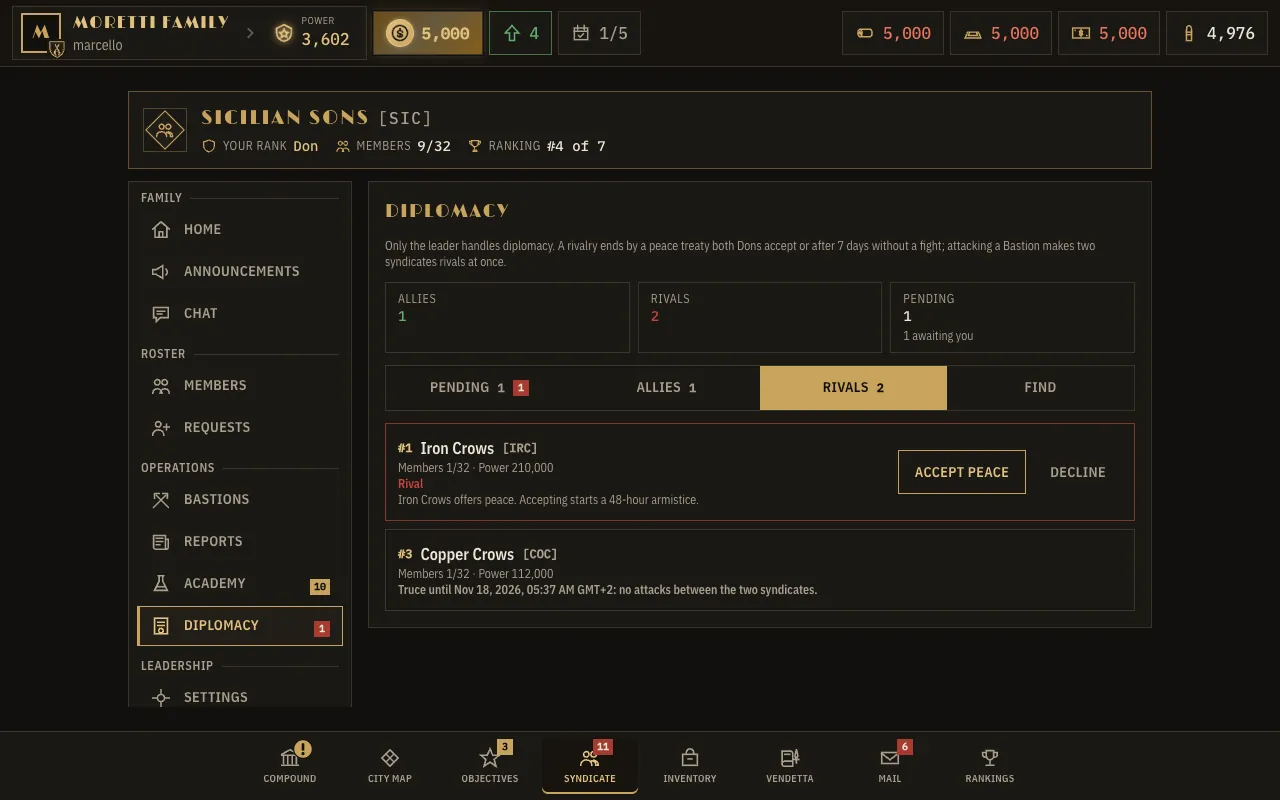
The leader can propose alliances, which have to be accepted, or declare rivalries with other syndicates. Once an alliance is accepted, the two syndicates can no longer attack or spy on each other, and breaking it starts 12 hours of forced peace. A rivalry also begins when a syndicate calls a rally on a Bastion held by another. It cannot be cancelled with one click: it ends when both Dons accept a peace treaty, which starts a 48-hour truce that protects both sides fully, or after 7 days without any fight between their members. On the map, your syndicate, your allies and your rivals have different colours, so you see at a glance who is who. The list of syndicates to approach is paged and searchable, so it stays easy to use however many syndicates the city has.
You have read the rules. Now go take the city.
A syndicate needs families to stand behind it. Create your account, then found or join one. Getting started shows the way.